An email workflow can be an integral part of any eCommerce business’s email marketing strategy. Also referred to as automations or just flows, an email marketing workflow is a series of automated emails that are sent to customers based on their actions and/or behavior.
When a customer completes a purchase or clicks a link or adds a certain product to their cart, the automatic trigger set up within the workflow then ensures they are sent the customized automated email for that particular action/behavior.
Email workflows can be very effective at increasing engagement with customers, driving more revenue and even building positive relationships with customers, turning them into loyal repeat customers of your brand.
Types of Email Workflows
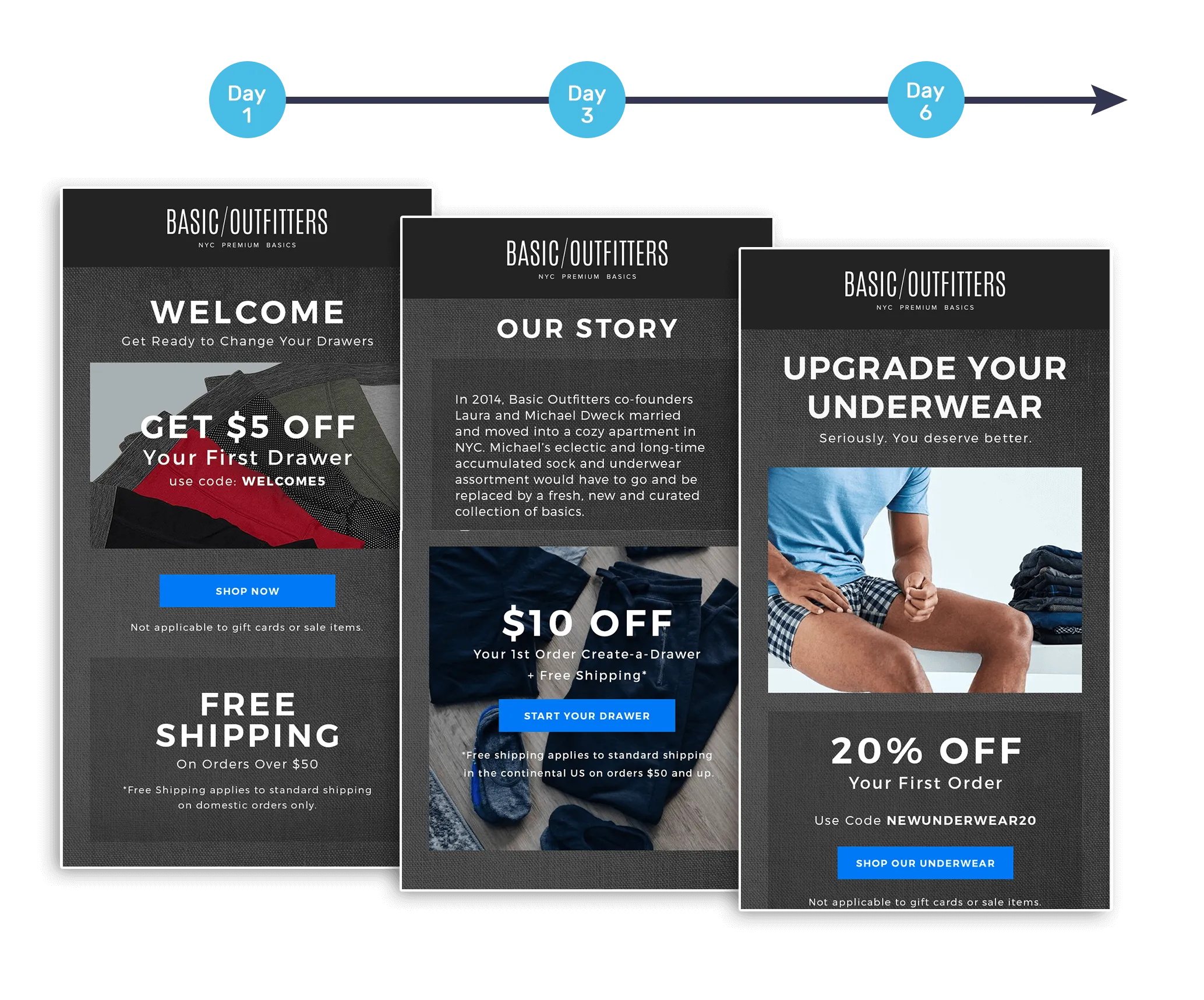
Welcome Workflows
Welcome workflow emails are designed to engage with new customers to improve their experience, ensure long term retention and cross or up-sell products that will better their original purchase
Abandoned Cart Workflows
Abandoned cart emails are designed to help encourage potential customers to complete their purchase by returning to their cart. The key here, as you can see from the example below, is to remind them at the opportune moment of what they may have forgotten to complete and highlight the benefits of their chosen near-purchases.

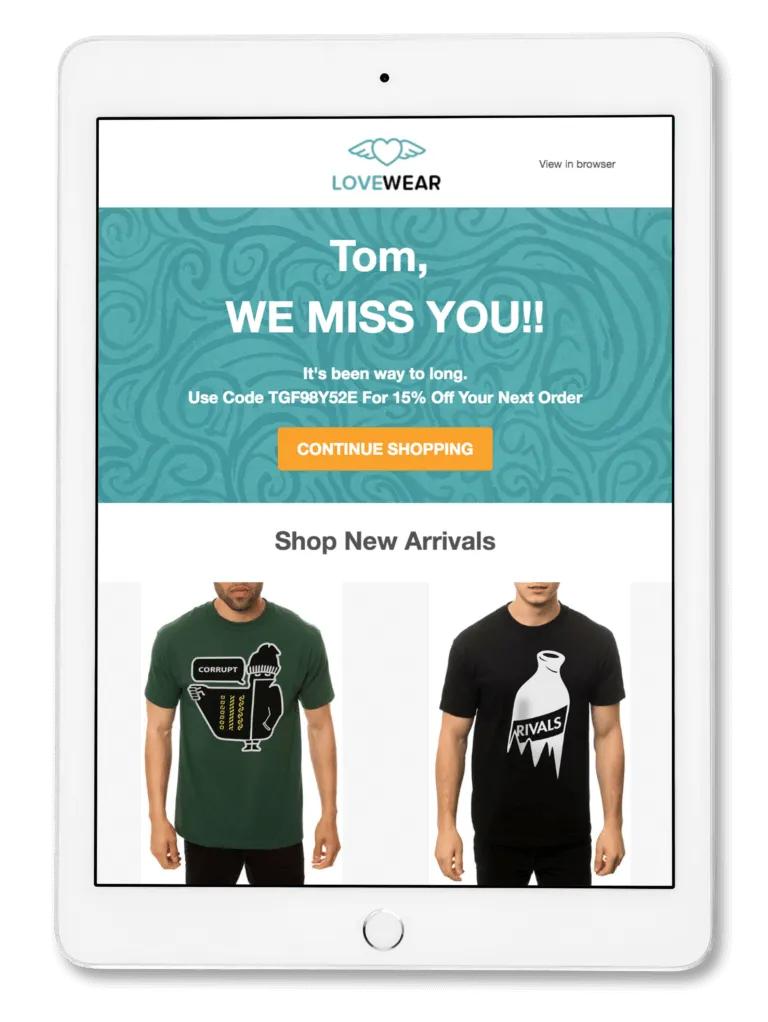
Re-engagement Workflows
The re-engagement email, such as the example below, needs to be friendly and inviting to help encourage past customers to return and make another purchase. Offering a discount, promoting a sale or introducing new offerings are all effective incentives for a re-engagement workflow.
Lead Nurturing Workflows
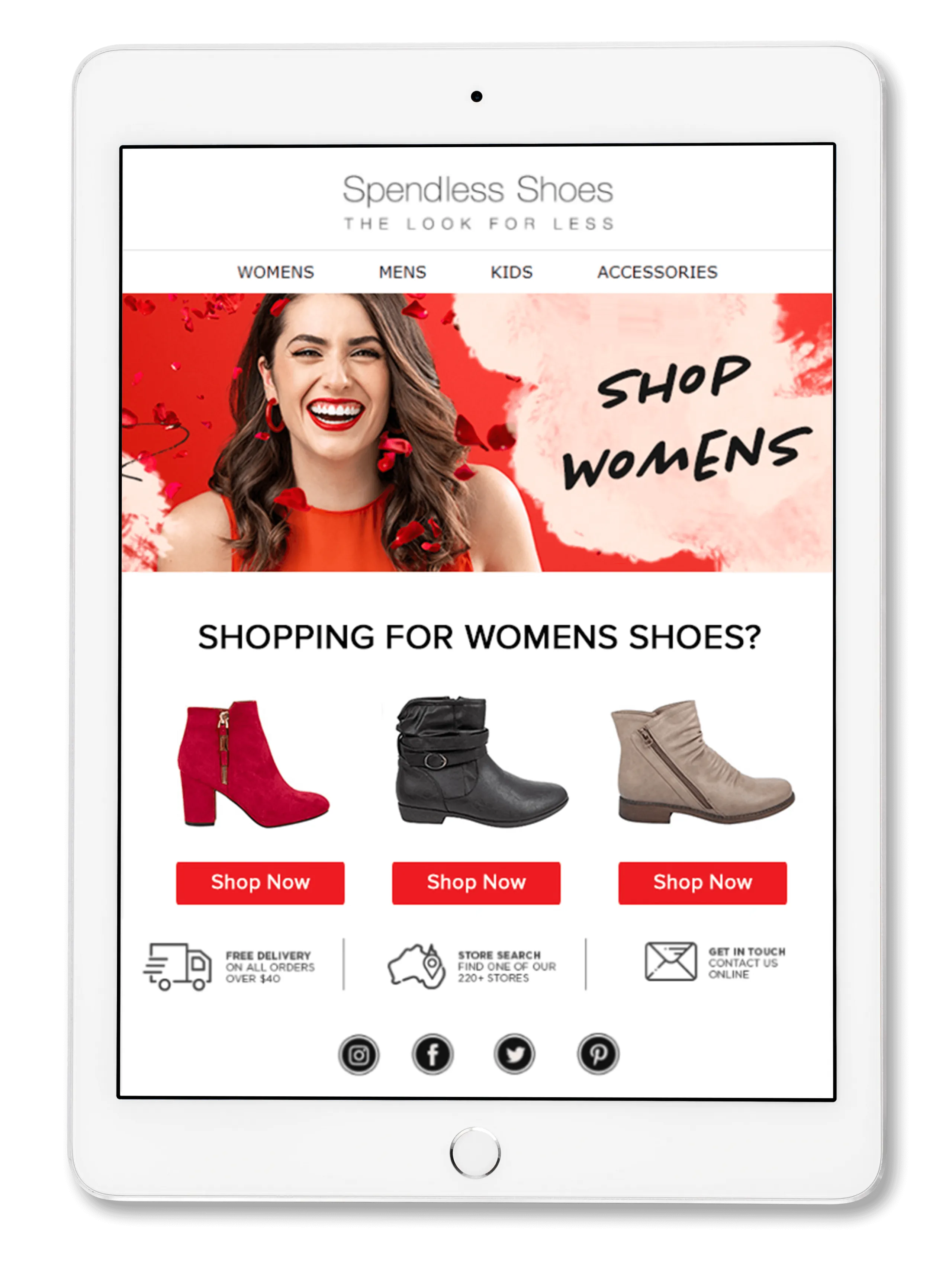
The lead nurturing email workflow may be the most nuanced. These are targeted at potential customers who have yet to make a purchase. You’ll want to really highlight your offerings in a subtle yet influential way. The example below, highlights the women’s shoes on offer as a gentle yet appealing reminder that they may still be interested in the products.
Post-Purchase Workflows
The post-purchase workflow can be used for multiple reasons. It can purely be an avenue to continue engagement with the customer and enhance their experience to ensure brand loyalty. Or it can be used as an opportunity to cross or upsell them with accessories or other purchases. It is highly effective to offer a discount or special deal to first time customers to demonstrate your appreciation of their purchase, as with the example below.

Replenishment Workflows
Replenishment email workflows may not be suitable for all ecommerce businesses, but–as with the example below–it can be used to great effect when utilized properly. Replenishment workflows aim to encourage customers who have purchased consumable products to repeat their purchase and replenish their stock. This gentle reminder can not just drive increased sales but also make the customer feel valued and engaged.

Components of an Email Workflow
An automated marketing email in a workflow is conventionally made up of four different components.
- Trigger
- Action
- Condition
- Delay
The Trigger
The trigger is the action or behavior that triggers the email workflow.
It can be important that you refer to the trigger within the context of the email, for example adding items to their online cart or signing up for a newsletter, so that the recipient knows why and how they are receiving this email, and understands its context.
The Action
The action in the context of an email workflow is the corresponding Call-To-Action contained in each particular email sent in response to the trigger.
If the email is in response to an abandoned cart, the action might be encouraging the customer to complete their purchase. If they have signed up to a newsletter, you might need them to confirm their details.
The Condition
This component can be viewed as somewhat optional but it does allow for more targeted and better personalized marketing messaging.
The conditions set in a workflow segment the potential audience based on important criteria other than behavior. For example, you might send some targeted emails to audiences in a certain geographic location or of a certain age. The objective is to aim your email at the customers most likely to respond to your Call-To-Action.
The Delay
The delay is the amount of time that you set in between the trigger and the action. Timing your email is critical as you want to ensure that you have given your customer enough time to complete their purchase or confirm their details, without leaving too much time that their past behavior seems no longer relevant or of interest to them.
Benefits of Email Workflows
Email marketing workflows offer many benefits to ecommerce businesses:
- Improve the efficiency of your sales/marketing funnel through targeted email messaging.
- Automated triggers and workflows mean less effort and energy is required over the long term.
- Ensure consistent and effective engagement with your customers.
- Provide personalized messaging based on relevant and genuinely helpful triggers.
- Enables you to use segmentation to further customize your email marketing.
- Increase both engagement and sales conversion rates.
- Enhance your customers’ experience and improve retention.
How to Create an Email Workflow
When considering your email workflow, there are various steps we recommend working through.
1. Goals
Define the goals and objectives of each email that makes up your workflow. What do you want the customer/recipient to do?
2. Audience
Determine who is the target audience and whether you will require segmentation of your emails.
3. Map It Out
Mapping out your workflow will allow you to understand what triggers and actions each email needs to include and what sort of delay you should be setting.
4. Content
Create your email content ensuring that you’re focused on personalizing it for the specific audience and focusing on Call-To-Action that you want them to take.
5. Test and Refine
Email workflows can and should be refined over time. As you determine the engagement, Click-Through-Rates, and Return on Investment, you’ll be able to further improve the emails to be more effective and more engaging.
Using the Right Tools and Resources
There are a ton of different workflow tools out there. Some are specifically designed for use by business-to-business companies, such as Active Campaign, HubSpot or Salesforce Pardot.
Others, such as MailChimp, Klaviyo and Remarkety, are designed more for ecommerce businesses.
Creating an effective and fully automated email workflow can be super fidgety and pretty complicated. That’s why more and more businesses are turning to our team here at SmartMail. With over 1,250 email workflows under our belt and counting, we’ll take all the stress and effort off your shoulders and set up your workflow just the way you need it.
Talk to the SmartMail Team Today About Your Email Workflow
Email marketing workflows offer invaluable opportunities to promote your business and increase your revenue.
If you’d like a hand with putting together a fully automated flow for your ecommerce platform, or you just want to take advantage of our free email audit offering, get in touch with the SmartMail team today.