Order confirmation emails are one of the most used types of emails out there, but did you know that you can make use of these to supplement your marketing efforts? Order confirmation emails have one of the highest click-thought rates (CTR) of any marketing emails and for a good reason.
In this blog, we’ll discuss what exactly an order confirmation email is, how you can improve customer experience, and how this should fit into your email marketing strategy to create brand awareness.

What Is An Order Confirmation Email?
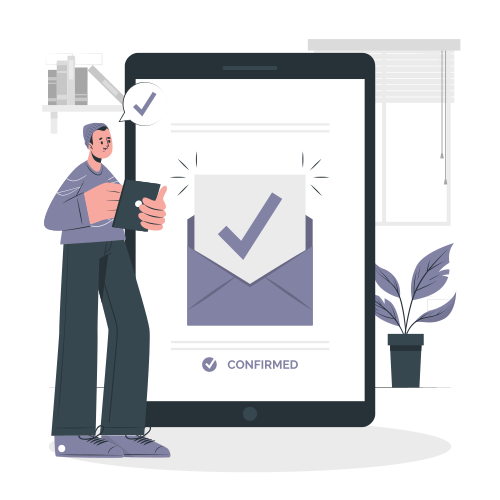
An order confirmation email is an email that is sent seconds after an online purchase is made. It acts as a receipt or digital proof of purchase. Order confirmation emails usually contain an order summary, information about the shipping, an estimated delivery date, a breakdown of the costs, and tracking information.
Order confirmation emails are extremely important to instill confidence in your brand and assure customers that their order was placed correctly. Imagine this:
A customer who has been researching a particular item finally makes that long-awaited purchase after months of debating. They feel nervous and excited to have come to a conclusion after so much research, and effort went into their decision.
After the purchase, they nervously head over to their email, thinking that they got the shipping information wrong and… there’s nothing.
They furiously refresh their email, check the spam folder several times and go back to your website in a panic. Was the order successful, or was it all a scam? Immediately their anxiety kicks in, and they frantically try to contact customer support to find out what happened to their order, if the shipping information is correct, and where their information went…
Would they ever buy from this brand again even if they received their orders on time? Probably not; the stress is just not worth it.

Why Are Order Confirmation Emails Important?
Confirmation emails have one of the highest average open rates of any marketing email. Studies have shown that confirmation emails have an average CTR of around 65%. This is because they fulfill an important subconscious need for reassurance and put customers at ease with additional information about their purchase.
They are also incredibly valuable for your business or organization. Order confirmation emails can be used for more than just responding to a purchase. You can gather valuable information, such as verified email addresses, and use this opportunity to incentivize repeat purchases.
Let’s take a closer look at the role of an order confirmation email in your customer journey:
They Heighten Excitement
Most electronic transactions involve some anxiety overshadowed by a sense of anticipation. As a business owner, you can make use of this by sending a well-designed, easy-to-understand, and informative email that provides your customer with reassurance after their purchase.
Don’t let them worry about where their items are; use this opportunity to build trust and loyalty by letting them know their transaction is valued by you.

Order Confirmation Emails Help With Cultivating Long-Term Customer Relationships
Order confirmation emails are an opportunity for you to interact with your customer’s primary inbox<. Cleverly designed order confirmation emails usually include call-to-actions such as signing up for a newsletter, a prompt to follow the brand on social media, or an option to continue shopping.
Order confirmation emails also allow you to provide crucial customer information. This can include a FAQ section to answer any recurring questions about the product or a link to one of your related blogs. You can also use this email to offer buyer discounts or special promotions for any future purchase.
Order Confirmations Provide Assurance And Give Your Customers A Sense Of Trust
With online shopping becoming increasingly popular, growing from around 53% of people buying online in 2019 to over 60% in 2021, the confirmation email acts as a reassurance to customers that you won’t scam them now that you have their credit card details.
Anxiety is another factor to take into account. With around 76% of U.S. adults now shopping online in 2023, you can put your customers at ease by sending them a simple order confirmation to check and recheck the details they provided for delivery. Also, make sure to include a link where they can update said details if required.
Customers are also more likely to buy from you again if your confirmation email includes a link to your store’s return policy as well as a link to enable them to cancel or change their orders before the dispatch date.
Lastly, make sure to include a tracking link so your customers can check on the status of their delivery.

Supporting Your Sales Funnel
Order confirmation emails are also a great way to generate more sales. You can include a “You may also like” or “People also buy” section to generate more interest or recommend related products that will enhance their experience with the product they just purchased.
What Types Of Email Confirmations Do People Receive?
As e-commerce becomes one of the main forms of transacting, emails confirming orders have become a must-do. Beyond a simple confirmation to reassure the customer, these messages are usually used to summarize bought items, provide details on the shipping address and delivery estimates as well as function as a marketing incentive.
Confirmation emails are usually sent out under one of the following conditions:
- Order confirmation
These emails are usually sent when a customer makes an online purchase and acts as a receipt. They include a summary of the order, shipping address, tracking information, and return policies to build customer trust. - Booking confirmation
It’s possible to order more than just products online. You can also book tickets to a concert, make a doctor’s appointment or even book a vacation online. In the event that such a booking is made, a booking confirmation email will be sent out to confirm the details with the customer.

- Subscription confirmation email
These are used when your customer signs up for your newsletter, online service, or other online content.You can use subscription emails for a variety of requests, such as offering support, letting customers know their subscription renewals are due, or promoting discounts on their subscriptions if they complete certain actions. - Registration confirmation email
These emails are usually sent to your customers when they sign up to attend an event you’re hosting. This can be a webinar, seminar, workshop, or even a show. The main goal of this email is to build excitement, but it also gives them valuable information, such as the link to the event, the time of the event, and more.You can also include any learning materials associated with your event to give your customers a preview of what to expect.
What Should Be Included In An Order Confirmation Email?
Order confirmation emails are short and get to the point quickly. The information included in these emails is just enough to cultivate a sense of security. This includes the following:
Order Summary
It’s important always to include a summary of what was bought. This way, your customer can check if they received everything they paid for and protects your business.
Make sure that the order confirmation includes enough information to remove the need to contact customer support, visit your website, or sign in to verify the details of their order.
You can include the following information in your order confirmation:
- The name of the item or product, along with a thumbnail image, if possible
- Quantity, color, and size of the item bought
- Unit price as displayed on your website
- Any Tax included in the price
- A tracking link if you have one
Order Number And Tracking Details
It’s important to immediately confirm the order number and tracking details with the customer. Not doing so will cause them to feel anxious about their purchase. Keep in mind that the customer paid upfront and will need to wait for their delivery. You can lessen their anxiety by offering them a way to track the progress of their order.
Customer Contact Details
Customers often worry if they provided the correct address and contact details to receive their parcel. Giving them an order recap will allow them to review the details again to set their minds at ease. To improve the customer experience, you can also provide a link where they can update their details if there is a mistake.
Shipping Address, Shipping Method, And The Expected Delivery Date
Make sure to include the shipping address on your order confirmation. This information goes hand in hand with the contact details from the customer and should be updatable in the event that there’s a mistake.
One of the main reasons that customers will almost always open an order confirmation email is to double-check the expected delivery date. You can use this opportunity to give them as much information about the shipping as possible without cluttering the email.
Confirm how the product will be delivered, the shipping method, the date the parcel is expected to arrive, and any special instructions left by the customer.
This will allow your customer to arrange their time so that they are available on the day their parcel is to be delivered and also sets their mind at ease that special instructions have been noted.

Be Transparent About The Costs
Customers always want to know exactly what they paid for. Giving them a breakdown of exactly what they paid for can set their mind at ease that you didn’t fraudulently charge them. Make sure the cost of the item on the order confirmation email is the same as the cost on your website. Customers will almost always cross-reference these numbers.
Also include the quantity they bought and any taxes or fees associated with their purchase. To be as transparent as possible, also indicate any discounts that were applied and what payment method was used at checkout. This will let the customer know where to check if the charge went off their account.
Offer A Next Step
Confirmation emails are an opportunity to interact with your customer’s primary email inbox. You can make use of this by developing an email confirmation strategy that will benefit both you and your customer.
This strategy should foster opportunities for further engagement from your clients, such as encouraging them to follow you on social media, sign up for your newsletter or ask for an opt-in for any emails regarding discounts and promotions.
Make sure to only use one very clear call to action not to seem desperate or scare off your clients.
Your Contact Information
Last but not least, it’s important to build customer loyalty by giving them a way to contact your business. Provide customer support emails, phone numbers, social media profiles that are monitored, and any other method of communication for customer support.
Make sure someone keeps an eye out for any customer communications and responds promptly. If a customer is uneasy about anything related to their order, their frustration levels will go from zero to 100 in the blink of an eye if they can’t get in contact with anyone from your business.
Having someone on customer service 24/7 will improve customer experience and, in turn, increase brand loyalty. You can also use this opportunity to gather customer feedback that can be used to improve your brand.

What Are The Best Practices For An Order Confirmation Email?
Confirmation emails are usually part of a workflow. They are triggered to go out immediately after the customer completes a transaction and recaps what they bought. These emails usually follow a pretty set structure, but there are still some best practices to keep in mind if you want your brand to stand out.
• Stay On Brand
Order confirmation emails should represent the best your business has to offer. Make use of your brand colors, logo, catchy tagline, and brand voice.
Don’t be afraid to create a sophisticated order confirmation email with personality. Celebrate the purchase with your customer.
Just because most order confirmations are formal doesn’t mean your brand needs to follow the same tone. Your order confirmation email should match the rest of youremail marketing campaigns.
Remember, every communication with a customer is a chance to show off your brand, so make sure your messaging and brand voice are consistent in the following:
- Subject line formatting
- Color palette
- Use of images
- Voice and tone
- Logo design
You can make use of pre-build email templates to keep your brand consistent. For example, Klaviyo provides such templates to create a consistent customer experience.
• Make An Excellent First Impression
Create an email that will make your brand stand out. Be prompt and send a confirmation email as soon as a customer completes a purchase. Receiving a post-purchase email immediately will ease anxiety. Don’t leave your customers hanging!
Most people are excited after finally making a purchase. This leaves you with an opportunity to cultivate positive feelings towards your brand.
Another thing to keep in mind is that your email needs to be mobile-friendly!
• Create A Clean Design
Keeping your confirmation emails clean and to the point will have a bigger impact than a long, cluttered email. Customers want to see the most important information related to their purchase without having to read lines and lines of text. Keep it simple.
• Use Engaging Subject Lines
With the average CTR rate of order confirmation emails being so high, they are excellent opportunities to engage with customers to ensure future purchases and referrals.
Take a look at these CTA examples:
- “Follow Us” buttons for social media
- Join the loyalty program or refer a friend for an additional reward
- Subscribe to your newsletter
- “Continue shopping” link
- “Contact Us” information
- Read a blog post
Confirmation Email Templates and Examples
Before you send order confirmation emails, take inspiration from the following templates and examples:
1. Educate customers
Add a good-to-know section in your mail to let your customers know what to expect.

2. Keep it simple
Keep it clean and simple by sticking to the basics.

3. Stick to your branding

Note how these brands used their colors and logos to compliment the images and text used.

4. Encourage referrals

Make sure to add a good call to action!
The order confirmation email template
1. Subject line: This is the part the customer will see even before they open the email
2. Greeting: Say hi and use your customer’s name
Let them know why they got this email: Thank them for their purchase and let them know it’s being processed.
3. Order Summary: Tell them what they bought and what it cost.
4. Shipping Information: Add the estimated delivery date, shipping method, shipping address, and any special instructions from the customer here.
4. Call to action: Ask them to refer a friend, sign up for your newsletter, follow your brand on social media, or add any other call to action you would like to use.
What Are The Next Steps After An Order Confirmation Email?
• Follow up with a shipping confirmation email
Customers might forget when their parcel is due. To prevent any problems with the delivery, send a shipping confirmation email to let your customer know when their parcel is on the way. A separate shipping confirmation email helps to keep you safe while also taking care of your customer’s anxiety. This email can also be used as another opportunity for customers to interact with one of your CTAs.
• Create a sequence of confirmation emails with different triggers
Besides the initial order confirmation email and the secondary shipping email, you can also send a confirmed delivery email. Make sure these emails are personalized for the best impact.
• Automate, Automate, Automate
After drafting the perfect confirmation email, it’s time to automate it. Automatically sending emails after a customer completes a trigger event will prevent you from missing any important opportunities to please the client.

Frequently Asked Questions
Yes. Upon receiving an order confirmation, a contract is formed between the supplier and the customer. If the supplier doesn’t deliver, they will be in breach of contract.
No, an order confirmation is simply a receipt that lets your customer know that the order has been received and is being processed. You can send a separate shipping confirmation email later on.
No, an order confirmation is not an invoice. An invoice will be generated as soon as your order is packed and dispatched. Invoices can be received via email or shipped along with your parcel.
Order confirmation emails should be sent out as soon as a customer completes a transaction. Don’t delay; send them immediately.
You will usually get a separate shipping confirmation email to let you know your package is on the way.
Final Thoughts
Good customer experience and reassurance are a must when it comes to order confirmation. By prioritizing your customers and tailoring your emails to take care of their needs, you’re giving your brand a much better chance to connect — and, by extension, succeed.
Overall, remember to focus on the following:
- Highlight the most important information
- Use attention-grabbing, straightforward subject lines
- Keep it simple
- Avoid the fluff
At the end of the day, understanding your customer is the only way to create an excellent customer experience. Do the research and get into the minds of your consumers; otherwise, you’ll be stuck creating content that doesn’t resonate.
If this all feels like too much work, get the professionals involved. SmartMail will be more than happy to answer any of your questions and even help you design an order confirmation email strategy from scratch, so don’t hesitate to delegate!